
VEVOR
VEVOR STORE LLCShopping
4.81.18K Reviews
- Version
- v3.1.0
- Installs
- 500.00K
- Age Rating
- Everyone
Screenshots


Our Review of VEVOR
 Analysis by Appyee
I approached VEVOR as a practical shopping tool rather than another app I would open just to browse. Its focus is home improvement, DIY work, and professional equipment, so the real question is not whether it looks exciting, but whether it helps me move from an idea to the right tool or material without wasting time. After using it with that mindset, I found a marketplace that makes the most sense when I already know roughly what I need and want to compare options in one place.
The app is free to use, is published by VEVOR STORE LLC, and is rated for Everyone. It has reached more than 500 thousand installs, with an average rating of 4.8 from roughly 23 thousand ratings and about 1.2 thousand written reviews. Those figures suggest that it has found an audience among people who shop for workshop, garage, garden, construction, and home-improvement supplies, although popularity alone does not remove the need to check each product carefully.
How VEVOR feels during real shopping sessions
When I use VEVOR for a real purchase, I treat the session as a decision-making task, not just a browse through equipment photos. I start by writing down the job, measurements, and compatibility details that matter, then use those notes to keep a shortlist grounded in the actual need. That habit also gives me a useful lens for considering how much confidence to place in any shopping app.
Speed expectations when I know what I want
The app feels most useful when I begin with a clear task: finding a pressure washer accessory, a workbench component, storage equipment, a replacement part, or a tool for a specific repair. In that situation, I can treat it like a focused catalog instead of wandering through a general shopping app. The experience is easier to judge by how quickly I can narrow a broad need into a sensible product choice than by how quickly any single screen opens.
For a quick purchase, I would search using the exact object and its important characteristic together. A phrase such as the type of tool plus its size, capacity, material, or intended use is usually more useful than a vague search for “garage equipment.” This is one of the first practical habits I would recommend because home-improvement catalogs contain many products that look similar in photographs but serve very different jobs.
Browsing can take longer when I am still deciding what category of product solves the problem. That is not necessarily a flaw in the app; it reflects the breadth of the catalog. A person comparing several kinds of lifting, cutting, storage, or workshop equipment may need to inspect specifications rather than rely on attractive images. I would not open VEVOR expecting a minimalist, curated shopping experience. I would open it expecting a large equipment catalog that rewards deliberate searching.
The current release is version 3.1.0, and it supports devices running Android 8.0 or later. That makes it accessible to many older Android phones, but compatibility should not be confused with identical performance on every device. A recent phone with comfortable screen space is better suited to comparing long product descriptions, while an older handset may make extended research feel more tiring.
What happens during a heavy-use shopping session
The demanding moment is not usually opening the app; it is the research stage. A serious purchase can involve several product pages, repeated comparisons, size charts, technical details, customer feedback, and a return to earlier options. I found that this kind of session requires more attention than ordinary retail browsing because the consequences of choosing the wrong specification can be much greater than choosing the wrong color for a casual purchase.
My preferred workflow is to define the job before searching. I write down the measurements that matter, the surface or material involved, the amount of weight or use expected, and any compatibility requirement. Then I compare products against that short checklist. This prevents the catalog from turning the session into an endless scroll through equipment that looks useful but does not actually fit the project.
A second useful habit is to separate “must have” details from “nice to have” details. For example, a workshop buyer may need a specific working size or connection type, while wheels, extra accessories, or a particular finish may simply be conveniences. This makes the app more efficient because I can eliminate unsuitable products early instead of giving equal attention to every listing.
For professional users, the app can support repeat research, but I would still verify every technical detail before placing an order. A contractor or tradesperson may be shopping under time pressure, and a product that is merely close to the requirement can create delays on site. VEVOR is better as a comparison and purchasing aid than as a substitute for reading specifications or confirming a tool’s suitability for a demanding job.
Stability and recovery when I leave and return
Shopping apps are judged not only by the first visit but also by how well they support an interrupted decision. Real life rarely gives me an uninterrupted half hour to compare equipment. I may switch to a measurement app, answer a call, check a manual, or put the phone down while inspecting the space where the product will be used. When I return, I want to continue the same investigation rather than start from nothing.
That is why I recommend keeping a small written note of the product requirements and the strongest candidates during an important purchase. It is a simple recovery strategy, but it protects against losing the thread of a long comparison. It also helps when several listings share similar names or photographs. If I am buying for a project, I record the dimensions and the reason each candidate survived the first round.
I would describe the app as more dependable for planned sessions than for frantic, last-minute shopping. A planned session gives me time to revisit details and check whether a product really fits the job. A rushed session increases the risk of overlooking a specification, regardless of how stable the app itself feels. For expensive or safety-related equipment, that distinction matters more than a few seconds saved while navigating.
Device constraints that affect the experience
Because the app supports Android 8.0 and above, it is not limited to the newest phones. That is helpful for users who keep an older device in the workshop or use a budget handset as a secondary shopping screen. Still, catalog-heavy shopping is more comfortable on a device with a readable display, responsive touch input, and enough battery for extended browsing.
Screen size makes a noticeable practical difference. Product research often involves switching between images, measurements, descriptions, and customer comments. On a small display, I am more likely to miss a line or misread a unit, particularly when I am comparing similar equipment. I would rather use a larger phone or tablet-sized screen for a serious purchase, even though the app itself is designed for mobile use.
Older hardware may also make image-heavy browsing feel less immediate than it does on a newer phone. I would not treat that as a reason to reject the app outright, but it is a reason to adjust expectations. If my handset already struggles with other shopping or catalog applications, VEVOR may feel less comfortable during long sessions with many product pages open.
Resource demands are best understood in terms of behavior rather than a fixed measurement. Short searches should be manageable on a supported device, while extensive browsing naturally asks more from the phone than checking a single item. I close unrelated applications before a long comparison on an older handset, and I avoid doing important product research when the battery is nearly empty. These are small steps, but they reduce the chance of an interrupted purchase decision.
Where it fits among shopping alternatives
Compared with a general marketplace, VEVOR feels more specialized around home improvement and equipment. A broad retail app may offer a wider mixture of household goods, clothing, electronics, and everyday items, but that variety can make technical shopping feel scattered. Here, the subject matter is closer to the project itself, which is useful when I want to remain within one equipment-oriented catalog.
Compared with a local hardware store’s app, the trade-off is different. A local store may be better when I need to inspect an item physically, ask an employee a question, or collect something immediately. VEVOR is more attractive when I want to research from home, compare equipment categories, or look for a product that may not be part of a nearby store’s usual selection.
Compared with a manufacturer-only app, it can be more convenient for exploring several kinds of equipment in one shopping environment. The compromise is that I have to take more responsibility for comparing listings and deciding whether a product matches my standards. I would use a manufacturer’s documentation when a job depends on exact compatibility, and use VEVOR when I want a broader starting point for the purchase.
Everyday scenarios where the app earns its place
Imagine I am preparing a garage workspace over a weekend. I need storage, a suitable work surface, and a way to keep tools organized, but I do not yet know which combination makes sense. I can use VEVOR to research the categories, note the dimensions that fit the available wall and floor space, and compare several candidates before committing. The value is not just finding an item; it is reducing the chance that I buy equipment that cannot fit the room.
Another realistic situation is a home repair where the correct accessory matters more than the main tool. I may already own the machine but need a compatible attachment or replacement component. In that case, I would begin with the model and connection information I already have, then check the product details carefully. I would not rely on a photograph that appears similar, because small differences in fittings or measurements can make an otherwise useful purchase unsuitable.
For a professional, the app may be useful during the planning stage of a job. A tradesperson can research equipment options away from the worksite, compare the practical requirements, and build a shortlist before discussing the purchase with a colleague or client. I would still confirm the final choice against the job’s safety and performance requirements, especially when the tool will be used frequently or under heavy load.
Limitations I would consider before installing it
The main limitation is the amount of judgment the catalog asks from me. This is not an app I would recommend to someone who wants every purchase reduced to a single obvious choice. Equipment shopping is full of trade-offs involving size, intended use, durability, accessories, and convenience. The app can help organize the search, but it cannot decide whether a product is appropriate for my specific workspace or project.
I would also skip it if my priority is immediate local pickup or hands-on inspection. Someone repairing a broken fixture today may be better served by a nearby hardware shop, where the item can be examined and taken home without waiting. VEVOR is a stronger fit for planned shopping than for emergencies where time matters more than catalog breadth.
Beginners should be particularly careful with unfamiliar technical terms. If I do not understand a measurement or specification, I pause and research that point before purchasing. Choosing by the lowest apparent cost or by a product photograph is risky with tools and workshop equipment. The app makes discovery easier, but responsible buying still depends on knowing what the project requires.
There is also a difference between browsing for inspiration and buying for professional reliance. For a hobby project, I may accept a little more research and experimentation. For equipment that affects productivity, safety, or a customer’s deadline, I want documentation and compatibility checked independently. That is not a criticism unique to VEVOR; it is the sensible standard for any online equipment marketplace.
My performance verdict after using it as a project tool
VEVOR works best when I treat it as a focused research and shopping companion for home improvement, DIY, and professional equipment. Its free access, broad equipment orientation, and support for Android 8.0 or later make it easy to try, while the strong average rating of 4.8 indicates that many users have responded positively to the experience. I would not mistake that rating for a guarantee that every product will suit every project, but it is encouraging context for a first installation.
My practical verdict is that the app is efficient for targeted searches, more demanding during detailed comparisons, and most valuable when I prepare before browsing. The biggest performance gain comes from my own workflow: measure first, search precisely, compare against a short checklist, and verify compatibility before ordering. That approach turns a large catalog from a distraction into a useful project resource.
I would recommend it to a DIYer building a workshop, a homeowner planning improvements, or a professional researching equipment away from the jobsite. I would choose a local retailer instead when immediate pickup or physical inspection is essential, and I would rely on manufacturer documentation when exact technical compatibility is critical. For everyone else, the best reason to try VEVOR is its project-focused shopping context, not simply the act of browsing another marketplace.
Since its release on May 21, 2024, the app has developed into a recognizable option for this particular kind of shopping, and version 3.1.0 gives users a current starting point. My final advice is simple: install it when you have a real equipment question to solve, not just a vague desire to browse. With measurements, a defined task, and patience for technical comparisons, it can make the path from a repair idea to a considered purchase noticeably easier.
Verdict
Strengths of VEVOR
- Wide range of tools, equipment, and household products in one app.
- Product listings usually include detailed specifications and multiple photos.
- Frequent discounts, coupons, and promotional deals can lower prices.
- Order tracking helps you monitor deliveries from purchase to arrival.
- Customer reviews and ratings assist with comparing similar products.
Limitations of VEVOR
- Product quality can vary considerably between different sellers and categories.
- Some items may have long delivery times, especially from overseas warehouses.
- Large product catalog can make finding the right item feel overwhelming.
- Return policies and shipping costs may differ depending on the seller.
- App notifications and promotional messages can become excessive.
Similar Picks in This Category
View All
SHEIN-Shopping Online
Roadget Business PTE. LTD.4.8

Amazon Shopping
Amazon Mobile LLC4.4


Mercado Libre: Compras online
Mercado Libre4.8

Wish: Shop and Save
Wish US Holdings LLC4.7

Alibaba.com - B2B marketplace
Alibaba Mobile4.4
Frequently Asked Questions
What is the VEVOR app used for?
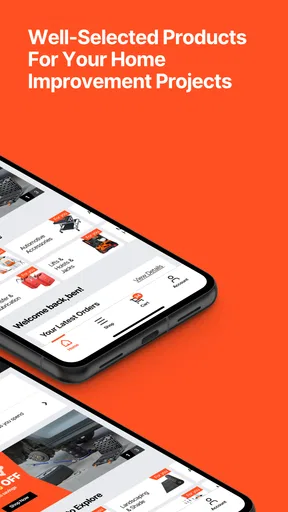
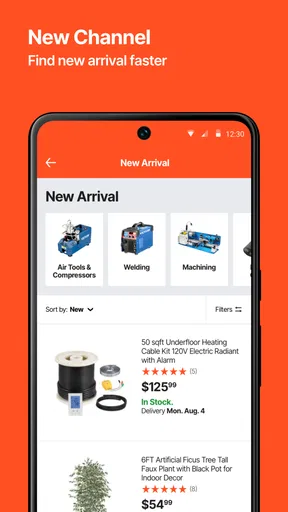
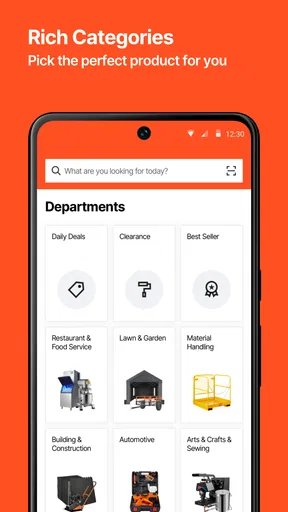
The VEVOR app is a shopping platform for browsing and purchasing tools, equipment, hardware, workshop supplies, outdoor products, home improvement items, and other practical goods. During testing, its main purpose was to make it easier to explore VEVOR’s catalog, compare product details, check prices, save items, and place orders from a mobile device rather than relying only on the company’s website.
Is the VEVOR app free to download and use?
Yes, the VEVOR app can generally be downloaded and used without an upfront fee. You can browse products, read descriptions, view images, and add items to a shopping cart at no cost. However, purchases, delivery charges, taxes, and any optional services are paid separately. Availability and pricing may vary depending on your country, account, promotions, and the selected product.
Can I safely buy products through the VEVOR app?
The app provides standard shopping features such as product pages, customer reviews, order information, payment options, and purchase tracking. Nevertheless, shoppers should review specifications, seller or fulfillment details, warranty information, return conditions, and delivery estimates before paying. Product quality and shipping experiences can differ between items, so checking recent reviews and confirming measurements is especially important for tools and equipment.
Does the VEVOR app support order tracking, returns, and customer service?
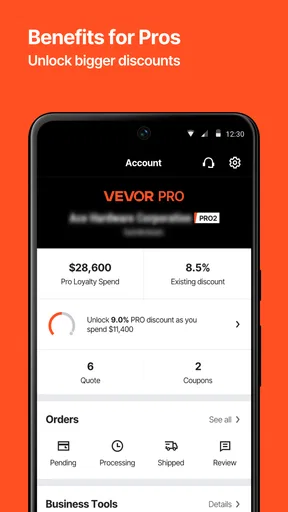
The VEVOR app is designed to let users review order status and follow shipment progress after a purchase has been processed. It also provides access to account and order-related support, although the exact return procedure, refund timeline, and available contact methods may depend on the product and region. Before ordering, read the current return policy and keep your confirmation details.
What should I check before downloading and using VEVOR?
Before downloading VEVOR, check whether the app is officially published in your device’s Google Play Store or Apple App Store and confirm that your phone meets the listed requirements. Also review requested permissions, privacy information, regional availability, and recent user feedback. If you plan to buy large, technical, or heavy products, verify shipping costs, compatibility, dimensions, warranty coverage, and return limitations first.
